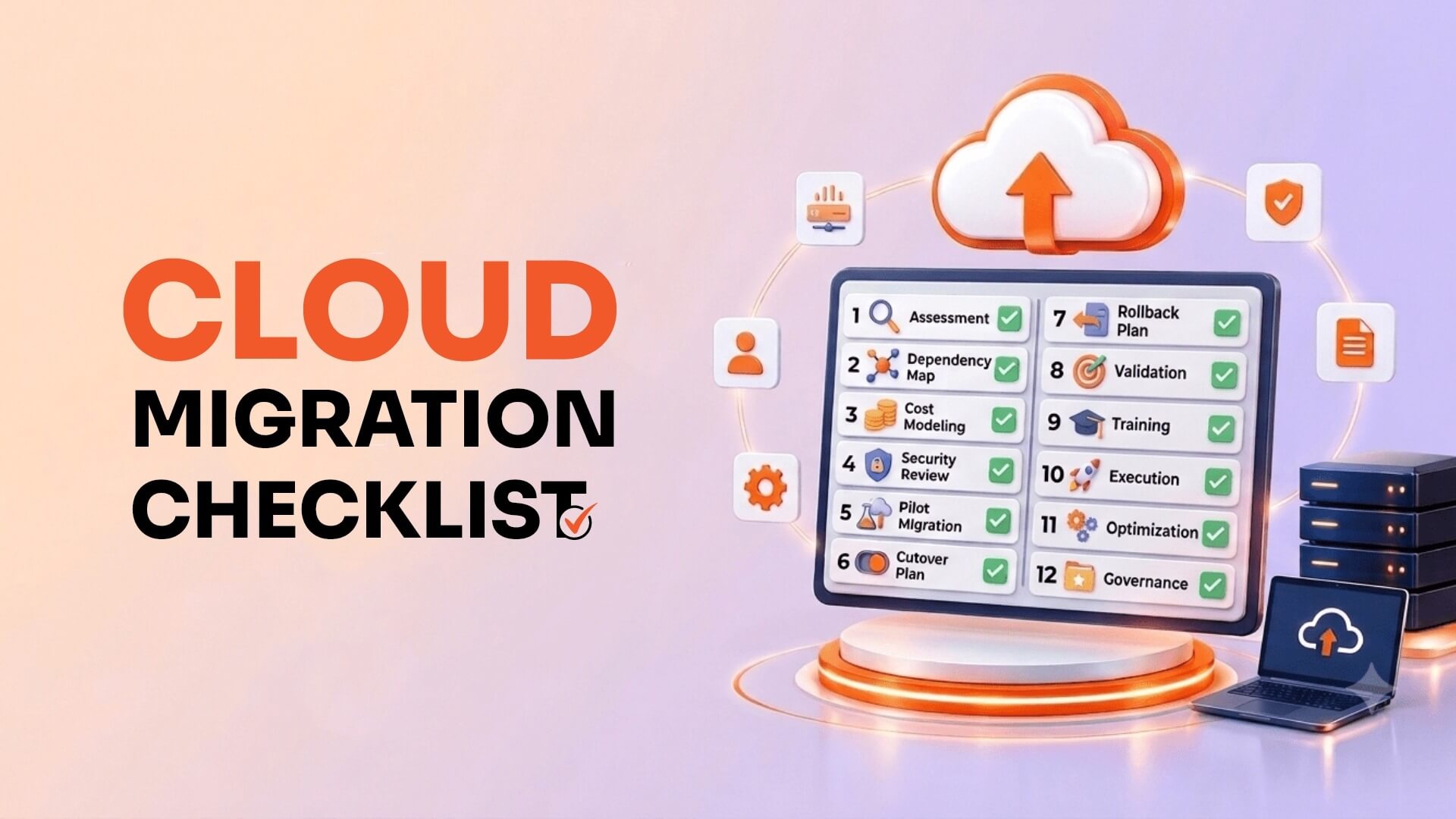
Cloud Migration Checklist: 12 Steps to Take Before Moving Your Workloads
Niraj SalotSeptember 8, 2026
Share this article


Let AI highlight what matters.
If you’ve ever watched a simple cloud migration turn into a six-month fire drill, you already know the problem isn’t the cloud. It’s the planning that happens, or doesn’t happen, before anyone touches a single workload.
Most migration horror stories share a pattern: a team gets excited about cost savings or scalability, picks a go-live date, and starts moving things. Then dependencies nobody mapped start breaking. Costs come in at 3x the overestimate. Security finds out about the migration in the post-incident review instead of the planning meeting.
None of that is inevitable. It’s just what happens when a checklist gets skipped.
This is the checklist we use before any workload, whether it’s a single legacy app or a full data center exit. Twelve steps, in order, each one a gate; the next step shouldn’t start without.
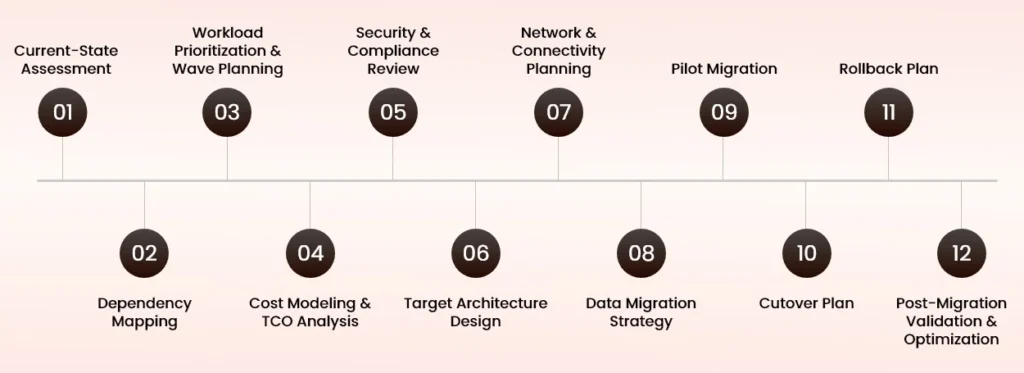
Before you can plan where you’re going, you need an honest picture of where you are. Inventory every server, VM, database, and application, including the ones nobody remembers deploying. Document current performance baselines, utilization patterns, and licensing terms. This step alone surfaces a surprising number of “Wait, what is this thing, and why is it still running?” moments.
This is the step teams skip most often, and it’s the one that causes the most 2 a.m. phone calls. Map every connection between applications, databases, APIs, and third-party services. A workload that looks self-contained often turns out to be quietly load-bearing for three other systems. Automated discovery tools help, but pair them with conversations; the tribal knowledge in someone’s head is often more accurate than the network map.
Not everything should move at once, and not everything should move in the same way. Group workloads into migration waves by complexity, business criticality, and dependency chains. Low-risk, low-dependency workloads are good early candidates; they build momentum and expose process gaps before you touch anything critical.
Cloud pricing calculators are a starting point, not an answer. Model total cost of ownership across compute, storage, data transfer, licensing, and critically, the operational cost of running things differently than you do today. Include a realistic estimate of the “run both environments in parallel” period, which almost every migration underestimates.
Bring security in now, not after the architecture is drawn. Review data residency requirements, encryption standards, identity and access management, and any regulatory obligations (HIPAA, PCI-DSS, GDPR, or industry-specific rules) that follow the data wherever it lives. A migration that has to be redone for compliance reasons is more expensive than one delayed a few weeks for a security sign-off.
Decide what “done” actually looks like. Will this be a lift-and-shift, a re-platform, or a full re-architecture? Define the target network topology, compute services, storage tiers, and how workloads will scale. This is also where you decide which cloud-native services are worth adopting now versus later; trying to modernize everything in one pass is a common way to blow both budget and timeline.
Design the connectivity between on-premises systems, the cloud environment, and end users before migration day, not during it. This includes VPNs or direct connects, DNS cutover strategy, load balancing, and bandwidth planning for the data transfer itself, which is frequently the slowest and most underestimated part of the whole project.
Decide how data actually gets from A to B: bulk transfer, continuous replication, or a hybrid approach, along with how you’ll validate integrity once it lands. For large datasets, factor in transfer time realistically—some migrations move faster by physical device than by network, and that’s worth knowing before you commit to a cutover date.
Pick one low-risk, well-understood workload and migrate it first fully, including monitoring and validation—before touching anything else. Treat it as a dry run for your process, not just your technology. Whatever breaks here is far cheaper to fix than the same failure during a full production cutover.
Document the exact sequence of events for go-live: who does what, in what order, with what verification at each step. Include a communication plan, so stakeholders know what’s happening and when. A cutover plan that lives only in someone’s head isn’t a plan—it’s a hope.
Every cutover plan needs a mirror-image rollback plan, written before migration day, not improvised during it. Define the specific conditions that trigger a rollback, who has the authority to call it, and how long you’ll keep the legacy environment available as a safety net. The teams that skip this step are the same ones who end up needing it most.
Migration isn’t done when the workload boots up in its new environment—it’s done when you’ve confirmed performance, security posture, and cost match what you planned for. Validate functionality against pre-migration baselines, tune resource allocation, and set a review cadence for the first 30, 60, and 90 days. This is also where a lot of quiet cost savings get found, once the environment is stable enough to optimize instead of just stabilize.
“The migrations that fail rarely fail on technology—they fail on the step nobody wrote down.”
— NextGenSoft Cloud Architecture Team
Reading through twelve steps in prose is one thing—having them in front of you during planning meetings is another. We’ve put together a one-page visual version of this checklist, designed to print, share with stakeholders, or pin up next to your migration runbook.

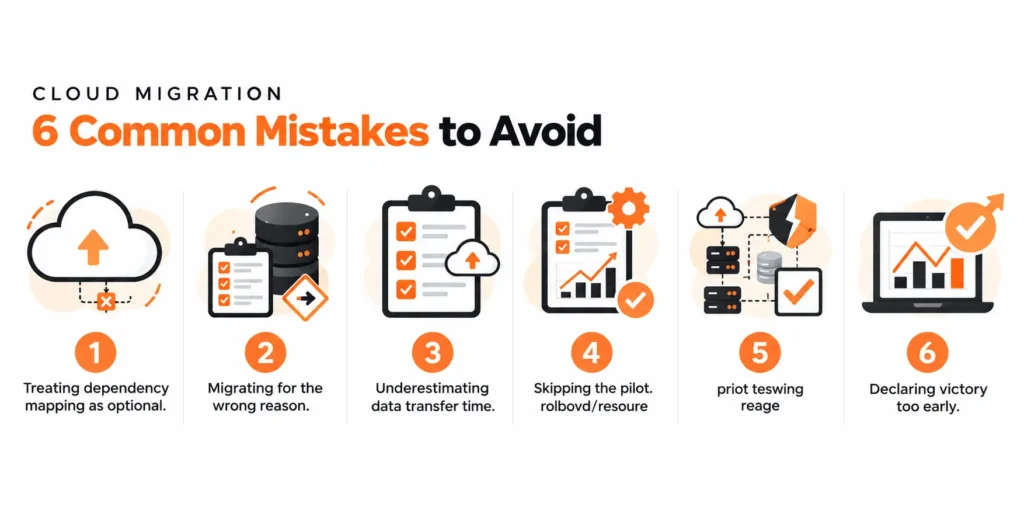
A checklist helps, but it’s worth naming the mistakes that happen even when teams think they’ve covered the basics:
Most of these aren’t technology failures. They’re planning failures—which is good news, because planning failures are the ones a checklist actually fixes.
A checklist gets you organized. Getting the architecture, cost model, and security posture right for your specific environment is where experienced hands make the difference between a migration that goes smoothly and one that becomes a case study in what not to do.
Our Cloud Architecture Services team works through exactly this process with clients, from current-state assessment through post-migration optimization—for AWS, Azure, and GCP environments. If you’re planning a migration and want a second set of eyes on your approach before you move a single workload, let’s talk.
1. What is a cloud migration checklist?
Answer: A cloud migration checklist is a structured, step-by-step list of tasks—assessment, dependency mapping, cost modeling, security review, and validation—that teams work through before, during, and after moving workloads to the cloud. It exists to catch the planning gaps that cause most migration failures, rather than relying on memory or improvisation on migration day.
2. How long does a cloud migration take?
Answer: It depends heavily on workload count, dependency complexity, and data volume, but most organized migrations move in waves over several months rather than as a single event. A single well-scoped application might migrate in a few weeks; a full data center exit with hundreds of interdependent workloads can take a year or more when done in planned phases.
3. What are the main phases of cloud migration?
Answer: Most migrations move through four phases: assessing the current environment, preparing the cost model and target architecture, planning the technical execution (network, data, pilot), and executing the cutover with validation afterward. The 12-step checklist above maps directly onto these four phases.
4. What is the biggest risk in cloud migration?
Answer: Incomplete dependency mapping is one of the most common causes of migration incidents. Workloads that look self-contained are often quietly connected to other systems, and those hidden dependencies tend to surface as outages during cutover rather than during planning—which is exactly why dependency mapping comes early in the checklist, not late.
5. Should I migrate all workloads at once?
Answer: Generally, no. Grouping workloads into migration waves—starting with low-risk, low-dependency systems — lets you validate your process on smaller stakes before moving business-critical workloads. A pilot migration of one representative workload is worth more than a detailed plan that’s never been tested against reality.
6. Do I need a rollback plan for every migration?
Answer: Yes. Even low-risk workloads benefit from a written rollback plan, because the cost of writing one is small compared to the cost of improvising a recovery mid-cutover. At minimum, define the conditions that trigger a rollback, who has authority to call it, and how long the legacy environment stays available as a fallback.
 Niraj Salot
Niraj Salot, with 20+ years of expertise in software architecture, specializes in delivering robust enterprise applications. His cloud optimization skills help clients cut costs while maximizing performance. As a key leader at NextGenSoft, he drives scalable, efficient, and high-performing solutions.
We’re ISO/IEC 27001:2022 certified, ensuring your projects are executed with globally recognized security standards.

INDIA
 sales@nextgensoft.io
 +91 81284 66678


