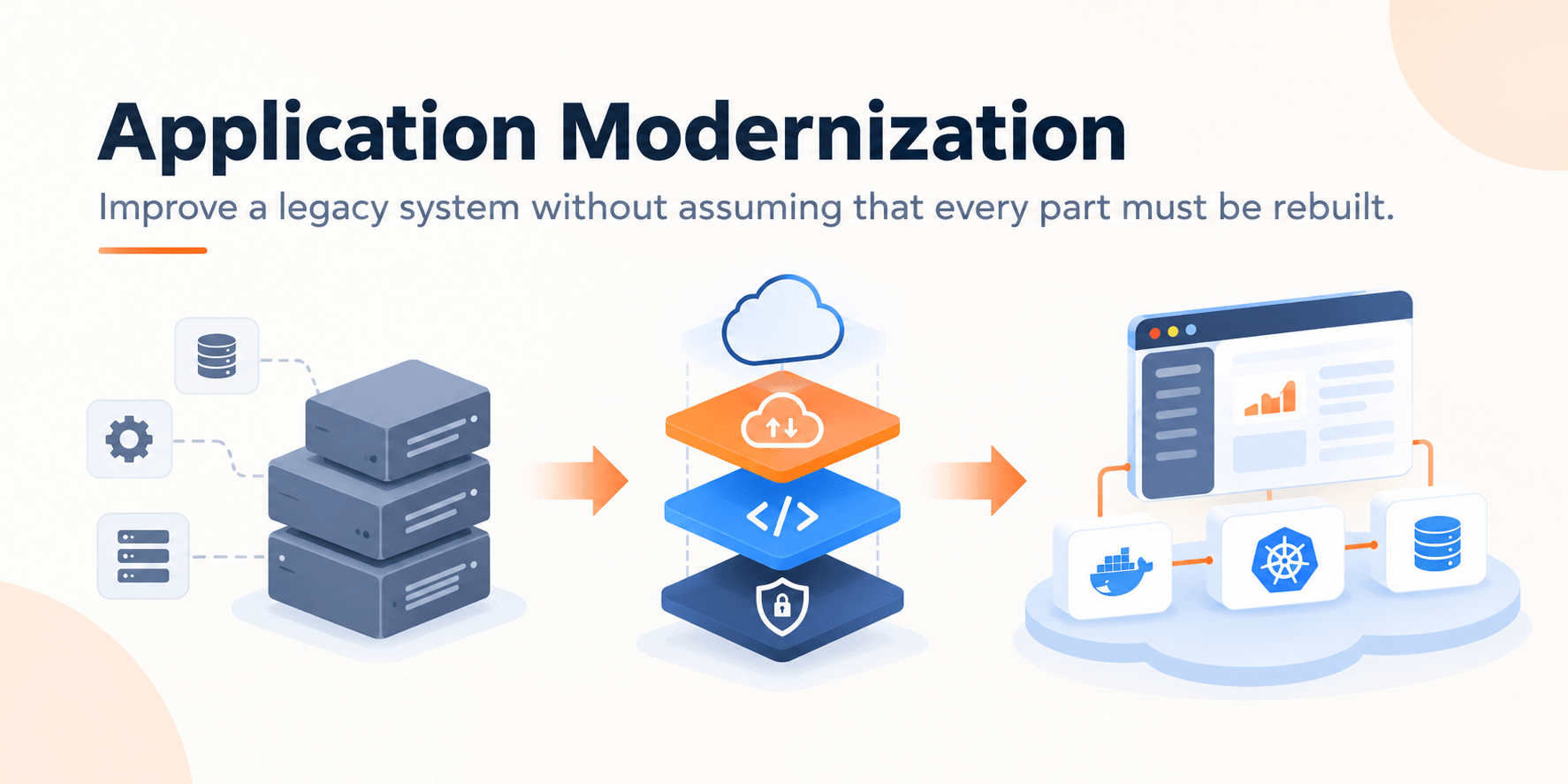
Application Modernization: A Practical Guide for Legacy Systems
Prince PatelSeptember 28, 2026
Share this article


Let AI highlight what matters.
Application modernization is an organized improvement of an existing system to meet business needs while avoiding rewriting everything.
For a business-critical platform, that distinction matters. Old code may be unfashionable yet dependable. A newer stack may still fail if the team misses hidden integrations, month-end jobs, or the spreadsheet an operations group uses to bridge two systems. The aim of application modernization is not to make architecture diagrams look current. It is to remove the constraints that slow the business down.
A useful assessment links technical symptoms to business impact. Slow releases matter because customers wait for fixes. Unsupported software matters because security patches disappear. Fragile integrations matter because a small change can interrupt revenue or reporting. This framing keeps application modernization tied to outcomes rather than a platform shopping list.
A system needs application modernization when valuable business rules still work, core data is usable, and the main constraints can be isolated. A rebuild becomes more reasonable when the current product no longer matches the business model, critical behavior cannot be understood or tested, or incremental change would preserve the same structural dead end.
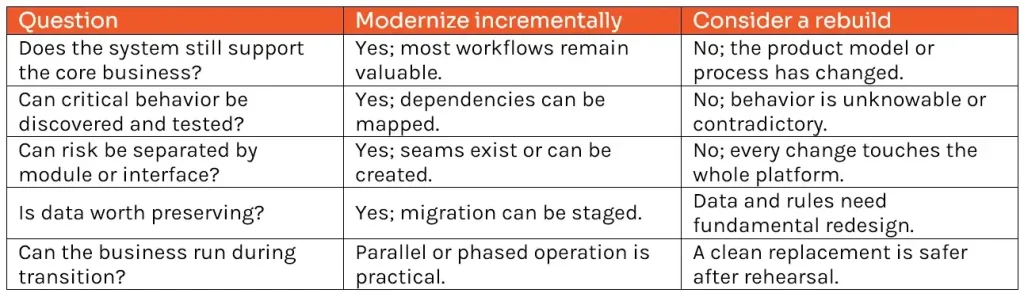
Don’t think of modernization as a singular decision point. Modernization of a legacy system can use both routes: keeping the working part of the system intact, changing one particular module, and rebuilding only what is outdated.
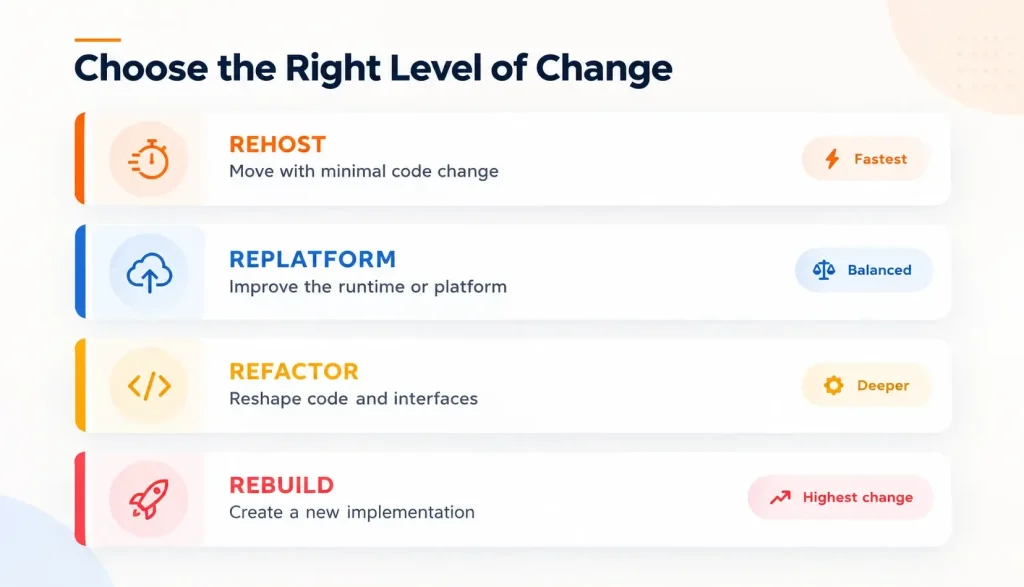
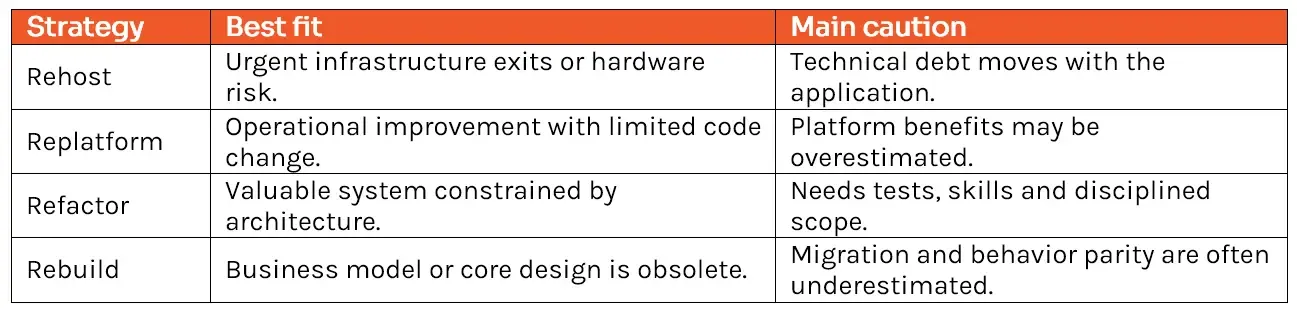
Rehosting moves an application to different infrastructure with little change to its code. It can remove a data-center deadline or replace aging hardware quickly. It does not automatically improve the release process, resilience, or cost profile. Use rehost when speed and continuity are the immediate goals, then plan follow-on application modernization where business value justifies it.
Replatforming changes parts of the operating environment while preserving the application’s basic architecture. Examples include moving to a managed database, containerizing a service, or replacing a self-managed queue. This can reduce operational work and create a better base for later change. The risk is assuming the new platform will fix inefficient code or poor data design by itself.
Refactoring reshapes code, interfaces, or data access so the system is easier to change and scale. A team might extract a pricing capability behind an API, remove duplicated rules, or break a risky deployment unit into clearer modules. Refactoring supports deeper application modernization, but it requires good tests and careful sequencing because behavior must remain dependable while the internals change.
Rebuilding replaces a capability with a new implementation. It is justified when the old design cannot support the future operating model or incremental change would cost nearly as much while preserving major constraints. A rebuild still needs migration, reconciliation, cutover, and retirement plans. “New” does not remove the obligation to understand the old system.
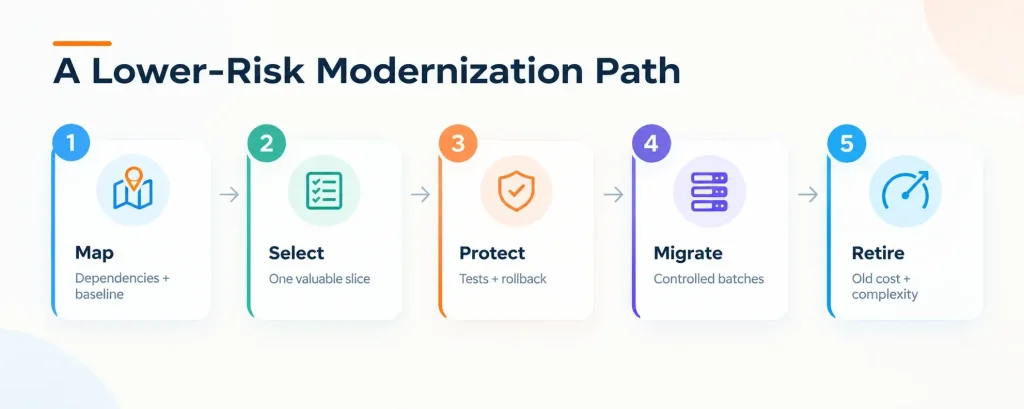
Begin application modernization with an evidence-backed inventory. Map users, business capabilities, interfaces, data stores, scheduled jobs, infrastructure, support status, and operational pain. Interview the people who run exceptions; diagrams rarely contain the whole system. Capture baselines such as release frequency, recovery time, incident volume, infrastructure cost, and lead time for a representative change.
Select a capability with visible value and manageable dependencies. A read-only customer view, reporting pipeline, or single integration may be safer than the transaction core. Define success and rollback before building. This turns application modernization into a sequence of testable decisions instead of one enormous promise.
Add automated tests around critical behavior, observable interfaces, repeatable environments, and reliable deployment. Protect data with backups, reconciliation rules, and rehearsed recovery. Where old and new components run together, define which system owns each record. These controls are part of application modernization, not preliminary overhead.
Move users, traffic or data in batches. Techniques such as parallel runs, feature flags, and traffic routing make comparison possible. Validate business totals as well as technical health. A service can return successful responses while still calculating the wrong invoice.
A migration is incomplete while duplicate licenses, servers, jobs, and support routes remain. Decommission the old path after retention and audit requirements are met. Review the outcome against the baseline, update the roadmap, and apply lessons to the next slice of application modernization.
Good application modernization services connect assessment, architecture, and delivery. A partner should be able to explain dependencies, compare options, estimate transition risk, and operate the new environment, not merely recommend a cloud destination.
Read Also: How to Enable Enterprise SSO with Auth0 and Azure AD (in 20 Minutes)
1. Launching a Big-Bang Rewrite
A large rewrite delays feedback and creates a long period in which the business changes but the specification does not. It also makes rollback difficult. Prefer small capability releases unless regulation or an immovable platform deadline makes a single cutover unavoidable.
2. Copying the Old System Feature for Feature
Some behavior exists only because of an earlier limitation. During legacy system modernization, classify features as retain, improve, replace, or retire. Recreating every workaround preserves cost without preserving value.
3. Ignoring People and Process
New services change ownership, on-call work, approvals and skills. If teams are not trained and incentives remain tied to the old process, the architecture may improve while delivery does not. Application modernization needs an operating model, not only code.
4. Measuring Migration Instead of Outcomes
Server counts and code converted are activity measures. Track the business and engineering results: release lead time, incident rate, recovery time, customer task completion, unit cost, and retired spend. The strongest application modernization case shows which constraint disappeared.
5. Underestimating Data and Decommissioning
Data mapping, reconciliation, retention, and deletion frequently determine the real schedule. So does shutting down the old estate. Put both in the plan and budget from the start.
Application modernization works best when the team can explain what constraint it is removing, how risk is contained, and what evidence will justify the next phase. That approach protects continuity while creating room for faster, safer change.
NextGenSoft’s Application Modernization Services cover assessment, cloud and platform modernization, database migration, containerization, serverless, and architectural change. Start with one business capability and a clear baseline; the roadmap can then separate quick infrastructure wins from deeper product work.
1. Does application modernization always mean moving to the cloud?
Answer: No. Cloud may provide useful managed services and elasticity, but modernization can also improve architecture, data, testing, or delivery in another environment. Choose the platform that fits the workload and operating requirements.
2. Can a monolith be modernized without becoming microservices?
Yes. A modular monolith can be a strong target when it improves boundaries and deployability without introducing distributed-system overhead. Architecture should follow the team and business need.
3. How do we prioritize systems?
Combine business criticality, change demand, operational risk, technical health, and dependency complexity. High value with manageable risk makes a good early candidate; high criticality and high uncertainty call for discovery and safety work first.
4. What should we measure?
Use a small scorecard covering delivery speed, reliability, security exposure, unit cost, and the business outcome of the capability. Record the baseline before work begins.
 Prince Patel
Prince Patel is a skilled software developer with hands-on experience in building reliable and efficient applications. He focuses on creating practical solutions that support business goals and drive digital progress. With a strong grasp of technology and a clear, problem-solving mindset, Prince consistently delivers clean, scalable code tailored to real-world needs.
We’re ISO/IEC 27001:2022 certified, ensuring your projects are executed with globally recognized security standards.

INDIA
 sales@nextgensoft.io
 +91 81284 66678


