Cloud Cost Optimization: Where Enterprises Actually Waste Money
Pranav LakhaniOctober 7, 2026
Share this article


Let AI highlight what matters.
Cloud cost optimization is the effort aimed at lowering unnecessary costs while safeguarding effectiveness, dependability, and safety. It applies to cloud services encompassing AWS, Azure, and Google Cloud, where one has to identify what resources are utilized, who is in charge of them, and whether their cost is warranted.
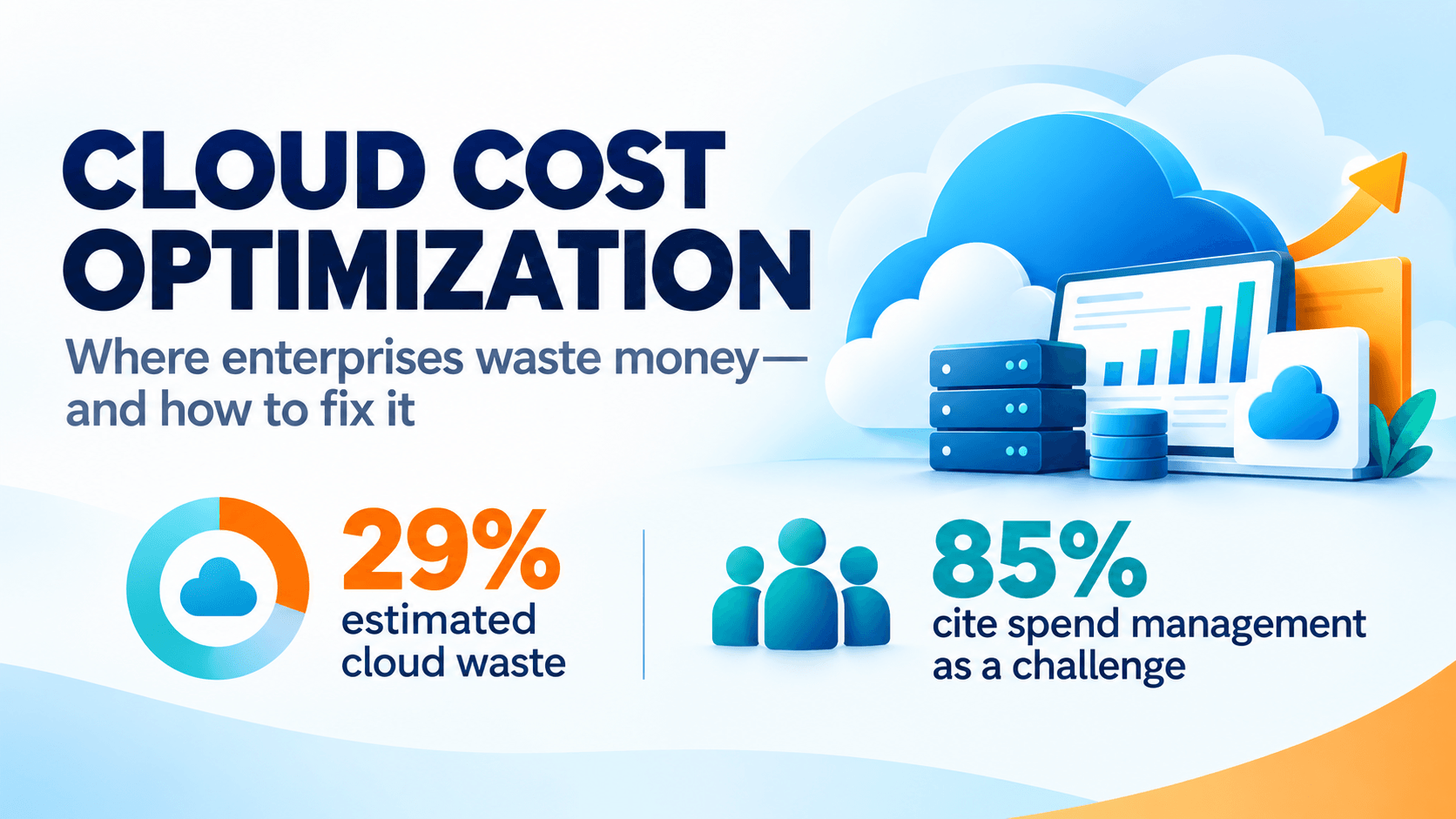
The problem remains significant. Flexera’s 2026 State of the Cloud Report, based on a survey of 753 cloud decision-makers, puts estimated wasted cloud spend at 29%. Its findings also show that 85% of respondents consider managing cloud spend a top challenge. These are survey benchmarks, rather than a prediction of what any individual enterprise can recover.
The useful question is therefore, where is your organization paying for capacity, storage, or activity it no longer needs?
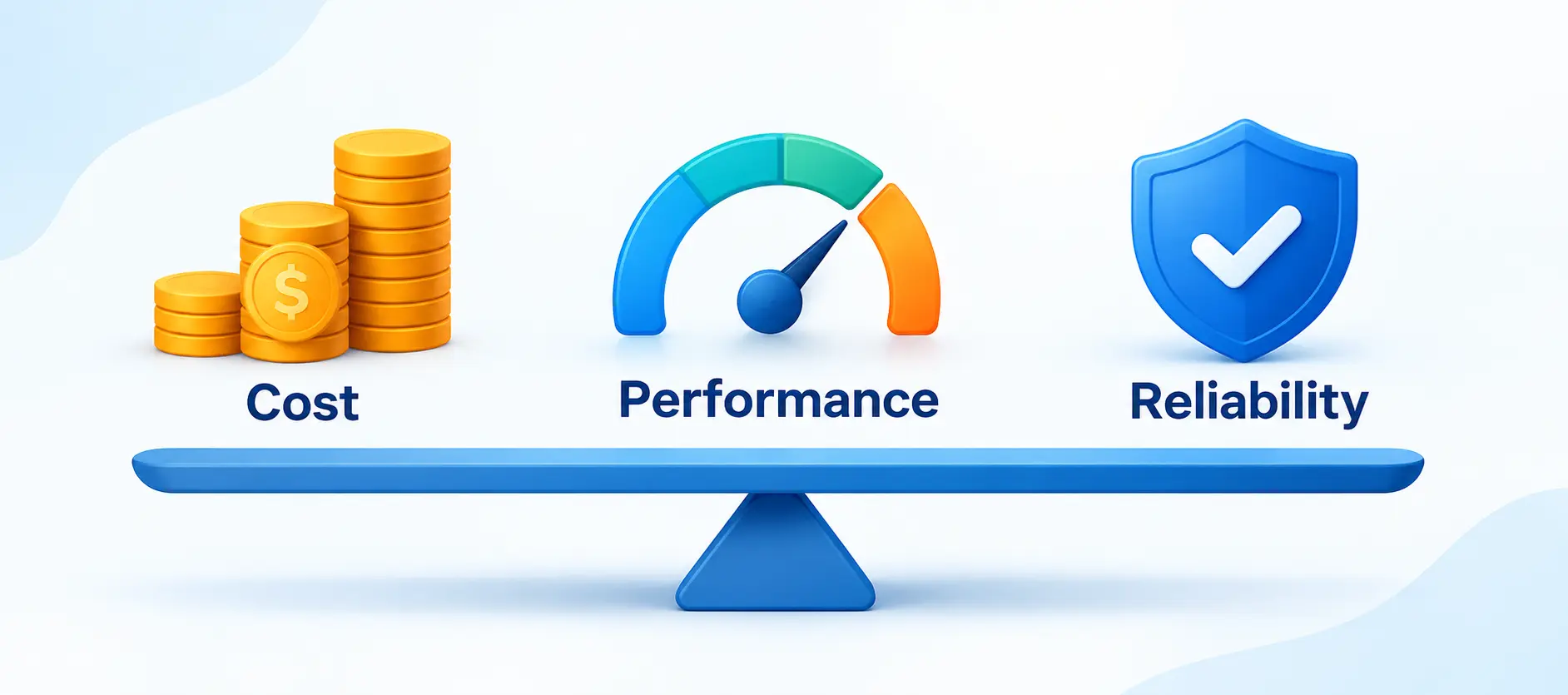
Cloud cost optimization is an ongoing action of correlating the expense for facilities with the actual business’s need for them. It encompasses removing unnecessary infrastructure, selecting the right capacity, enhancing data location, and obtaining the optimal purchasing arrangements.
In cloud computing, one can easily buy resources, but keeping their quantity, period, and ownership adjusted to the needs is much more complicated.
Take, for instance, a case when some application suddenly becomes twice as busy. A higher expense might be justifiable if, at the same time, the cost of serving one customer reduces. Conversely, if there was no activity on that application, the flat expense may hide inefficiencies.
Therefore, successful optimization implies tracking expenses and results so that it becomes clear what benefits are received for every dollar spent.
Read More: Cloud Migration Checklist: 12 Steps to Take Before Moving Your Workloads
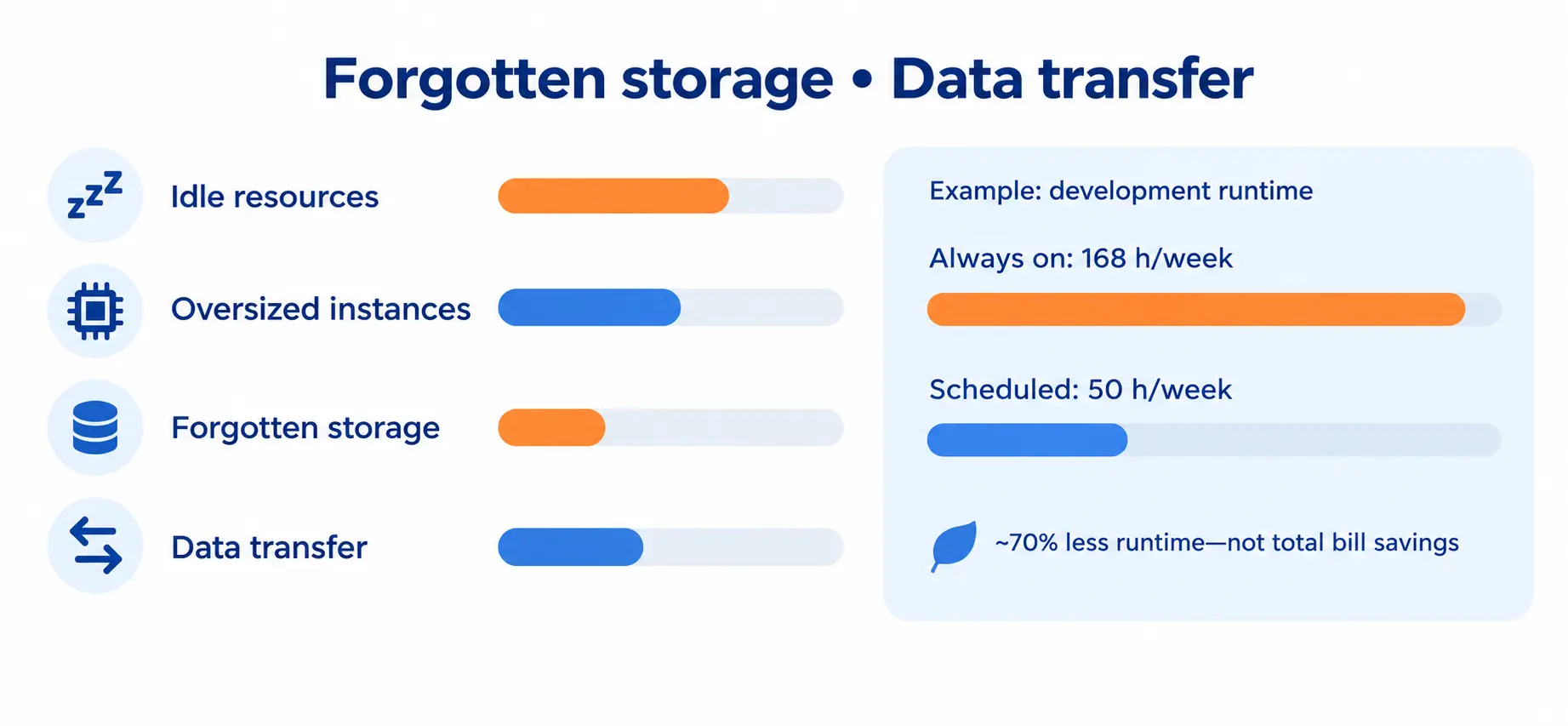
The first stage of cloud cost optimization is examining recurring charges that have lost their connection to a clear requirement.
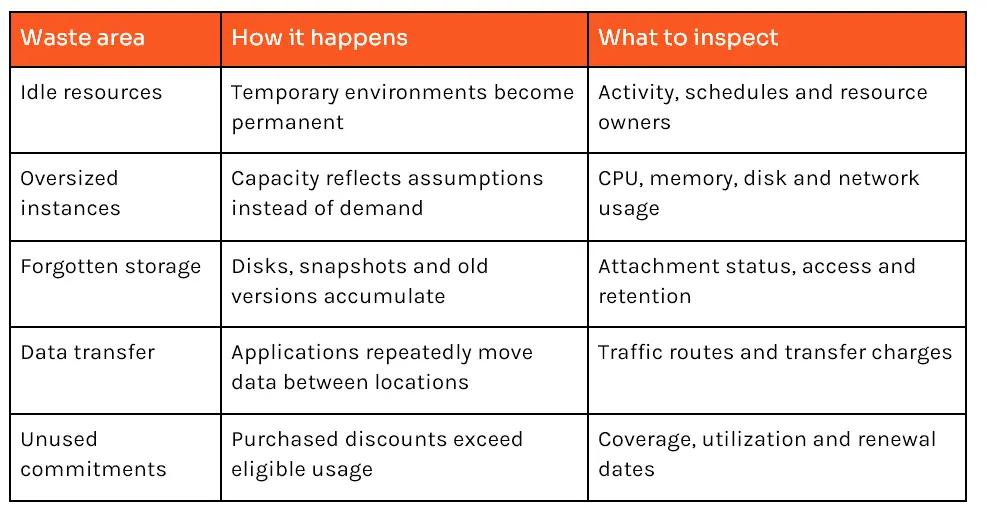
The use of development machines, forgotten databases, and unused load balancers may continue even after these machines have ceased to serve their intended function.
For example, a development machine may be running non-stop for 168 hours a week. If it only needs to be used for 50 hours, its running time will be significantly reduced from that figure.
However, it does not mean that the bill will be lowered by 70%. Storage, licenses, and existing obligations can still generate costs.
Before systems are turned off, take a look at dependencies and recovery needs. A disaster recovery mechanism might be doing everything correctly.
Teams often choose large machines before they understand real demand. Capacity then remains unchanged after usage patterns become clear.
As per Microsoft, Azure Advisor takes into account the CPU, memory, and outbound network activity when making recommendations for resizing its services. Its observation period varies from 7 to 90 days. It also cautions users that the recommendations may be inappropriate for some workloads, such as disaster recovery or planned growth in volume of work done.
In enterprise systems, ensure that representative peaks and batch jobs are analyzed over the years. A low average CPU usage is not an indication that the server being evaluated is oversized.
Start by resizing one workload, test it, and monitor the results before making a large change.
A server has been deleted, but it doesn’t mean that all associated storage areas, snapshots, or copies of backups were removed.
Check all storage areas that are no longer used, obsolete database backups, duplicate databases, or old versions of objects. Create an owner for each of these storage categories and assign a retention period.
Documentation from Google Cloud explains how changes in storage can be done automatically. The recommendations given should be tested before applying them globally.
Lower storage prices also involve trade-offs. Retrieval charges, minimum storage durations, and access requirements can make an archive tier unsuitable for frequently used data.
Data transfer becomes expensive when storage and processing are separated unnecessarily.
A reporting application might download the same dataset from another cloud every day. A service might repeatedly send large responses that could be cached.
For illustration, 50,000 GB of billable transfer at an assumed $0.05 per GB costs $2,500. This is a calculation, not a quoted provider rate. Actual charges depend on services, destinations, regions, tiers, and contractual terms.
Google Cloud’s storage pricing separates storage, operations, retrieval, and network charges, illustrating why capacity alone cannot explain the full bill.
Map the traffic route before changing it. Moving an application to reduce transfer costs can introduce migration expenses or resilience problems.
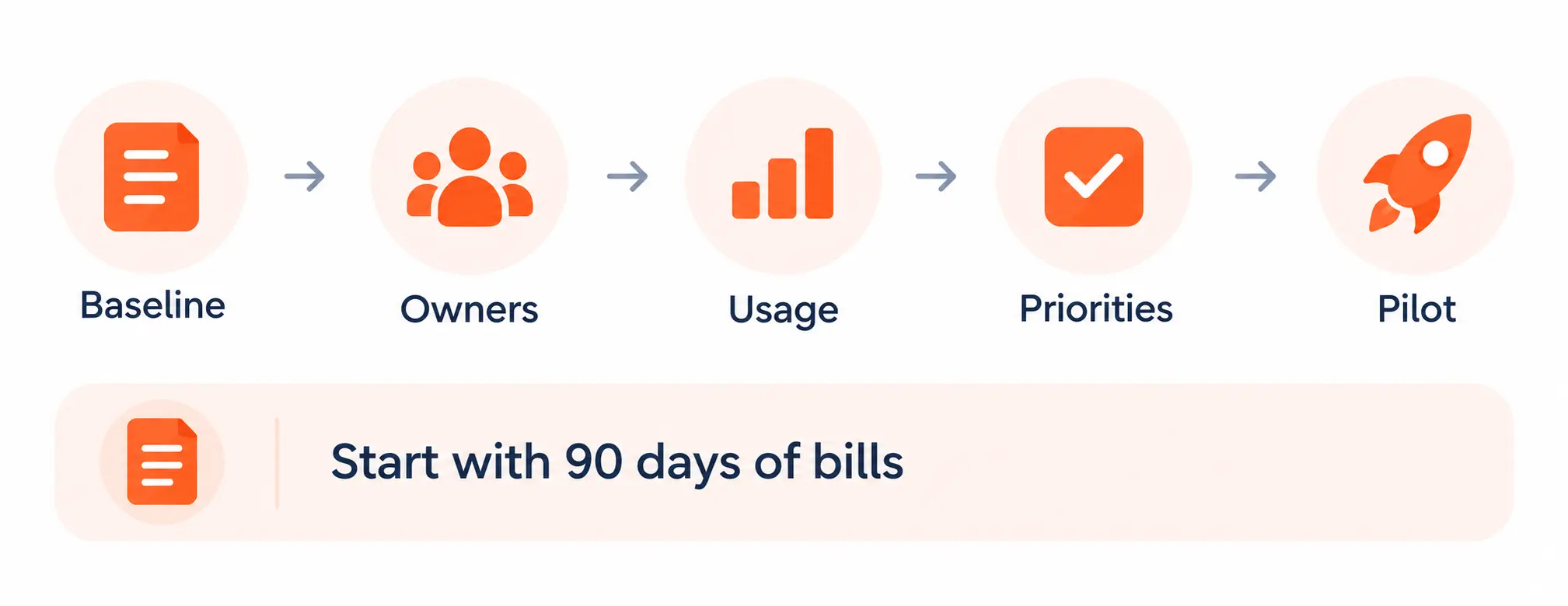
Before buying software or hiring a partner, run a focused cloud cost-optimization audit. A spreadsheet, billing access, and input from application owners are enough to establish an initial picture.
The following five-day framework is a starting point. Large organizations may need longer to gather reliable data.
Export the previous 90 days of spending from every relevant account, subscription, and project.
Group costs by provider, application, environment, service, and region. Use a consistent currency and accounting treatment. Keep credits, refunds, taxes, and commitment costs visible so they do not distort comparisons.
Start with the 10 largest cost drivers. Record whether each increase reflects greater usage, higher rates, or a configuration change.
Connect major resources to a team, application, and business purpose.
Useful fields include owner, environment, cost center, and expiry date. Investigate unallocated charges rather than assuming they are waste.
For shared platforms, agree on an allocation method. Transaction volume or measured consumption may be more useful than dividing costs equally between departments.
Compare bills with operational metrics.
Look for inactive development environments, underused machines, unattached disks, growing snapshots, and unexpected transfer volumes.
Ask owners three questions:
Record evidence and exceptions. An optimization recommendation is a candidate for review, not an instruction to delete.
Create an action register with the resource, owner, proposed change, expected savings, implementation effort, and rollback plan.
Prioritize reversible changes with clear ownership.
For example, an opportunity saving $800 monthly with $2,400 in one-time implementation costs has a simple three-month payback, assuming no additional recurring costs.
Avoid double counting. Scheduling, resizing, and discounting the same machine affect one another.
Apply one approved change to a limited workload.
Compare costs and performance before and afterward, adjusting for traffic differences. Check the invoice impact and the resource’s usage.
This matters because Microsoft warns that some Advisor savings estimates use retail rates and do not account for existing reservations or savings plans. A technically smaller deployment may therefore produce less cash savings than expected.
Read Also: Docker vs Kubernetes: Do You Actually Need a Container Orchestrator?
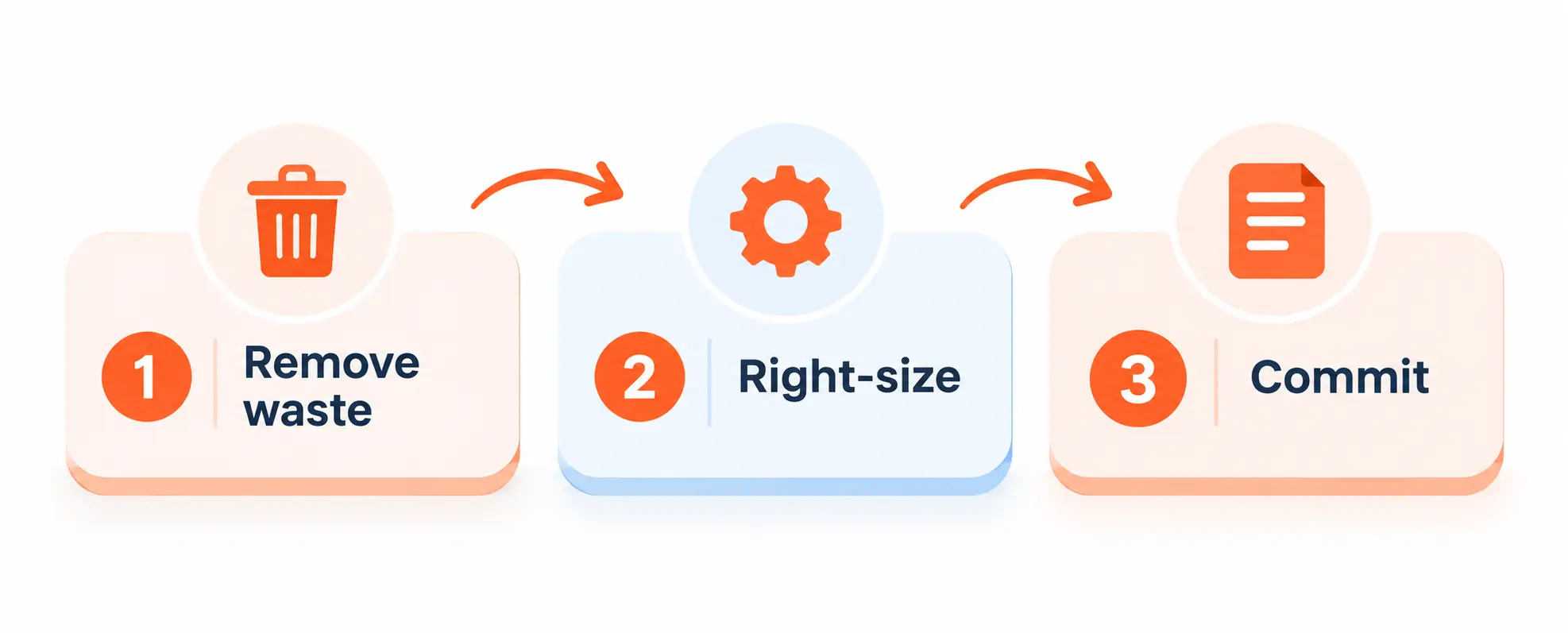
Purchasing commitments is part of cloud cost optimization, but it should follow a review of unnecessary capacity.
AWS advertises Savings Plans discounts of up to 72% compared with on-demand pricing, subject to the applicable plan and usage commitment. This maximum concerns eligible usage; it is not a promise to reduce an entire enterprise bill by that percentage.
Azure and Google Cloud also offer commitment arrangements, with different eligibility and flexibility rules.
A sensible sequence is to remove waste, establish the remaining baseline, and then evaluate commitments against stable demand. Buying a discount for an unnecessary resource still leaves an unnecessary expense.
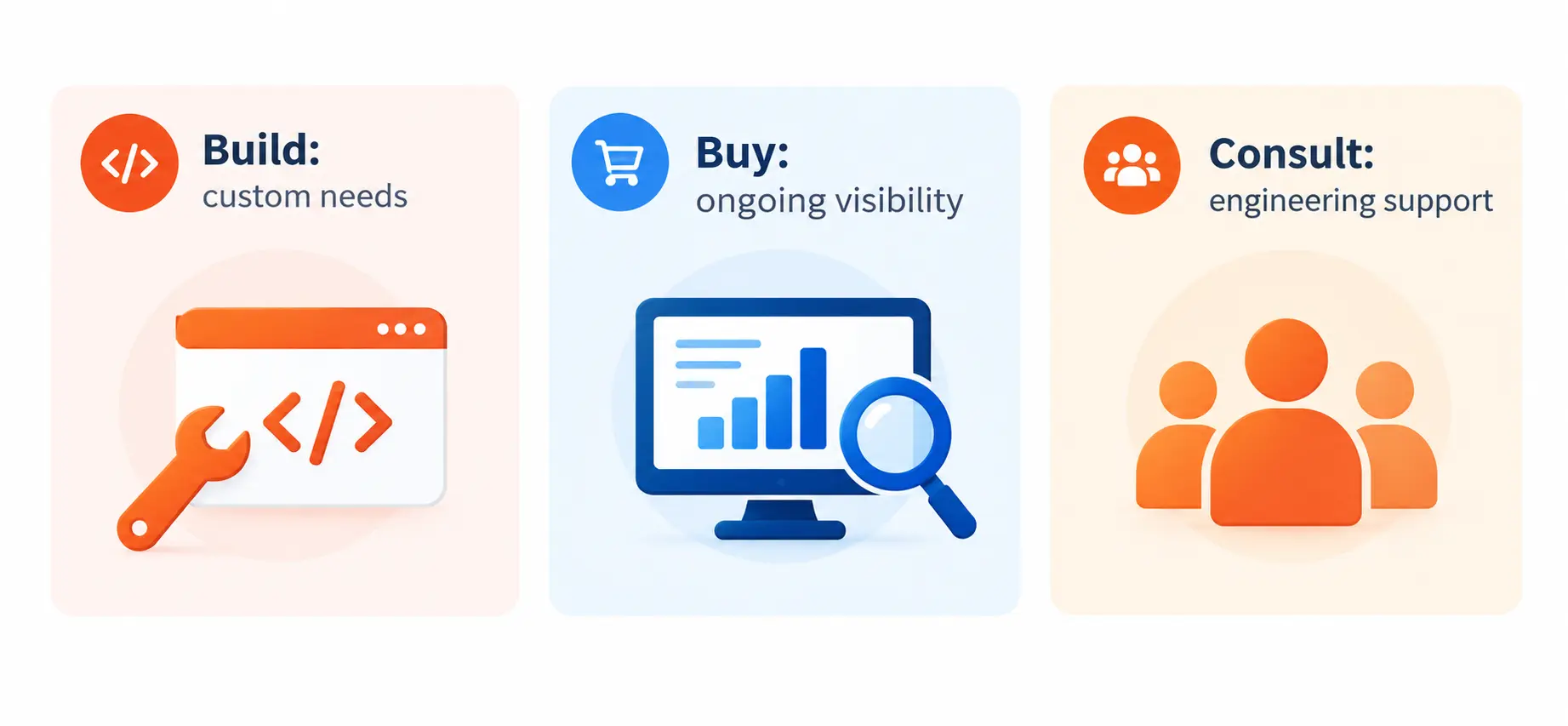
Cloud cost optimization requires visibility, judgment, and implementation. The right approach depends on which of those capabilities your team lacks.
Cloud cost optimization tools help teams organize billing data and surface opportunities. They cannot independently establish every application’s business requirements.
Native capabilities provide a useful starting point:
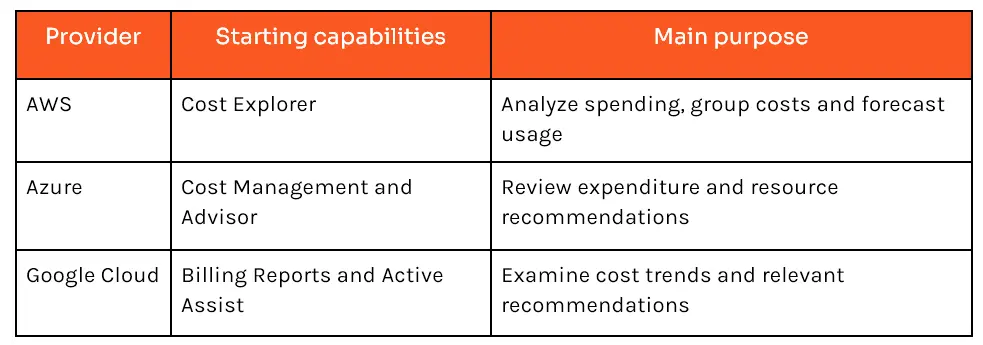
These capabilities are documented by the respective providers. Feature availability and charges should be checked before implementation.
Choose your delivery model according to the problem:
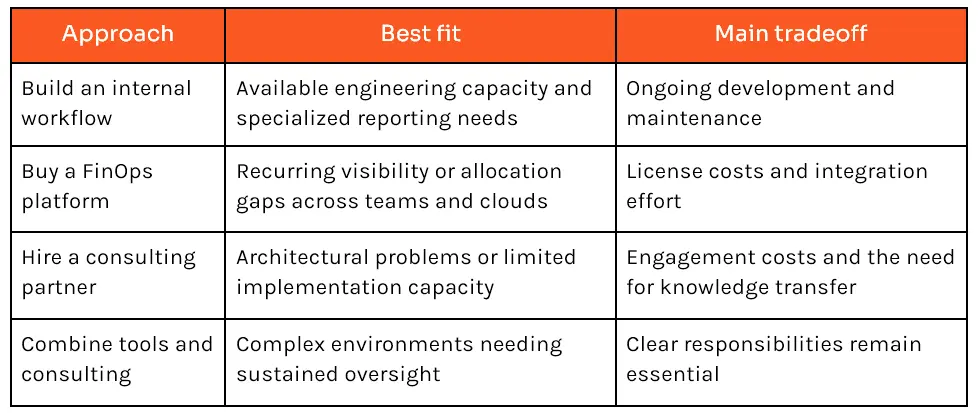
Evaluate cloud optimization services through concrete deliverables: validated findings, implementation plans, rollback procedures, and measured results.
For an AWS-focused environment, readers comparing top cloud cost optimization tools for AWS can consult NextGenSoft’s AWS Cost Optimization and Project Tracking Made Easy. It provides the provider-specific detail that complements this broader audit.
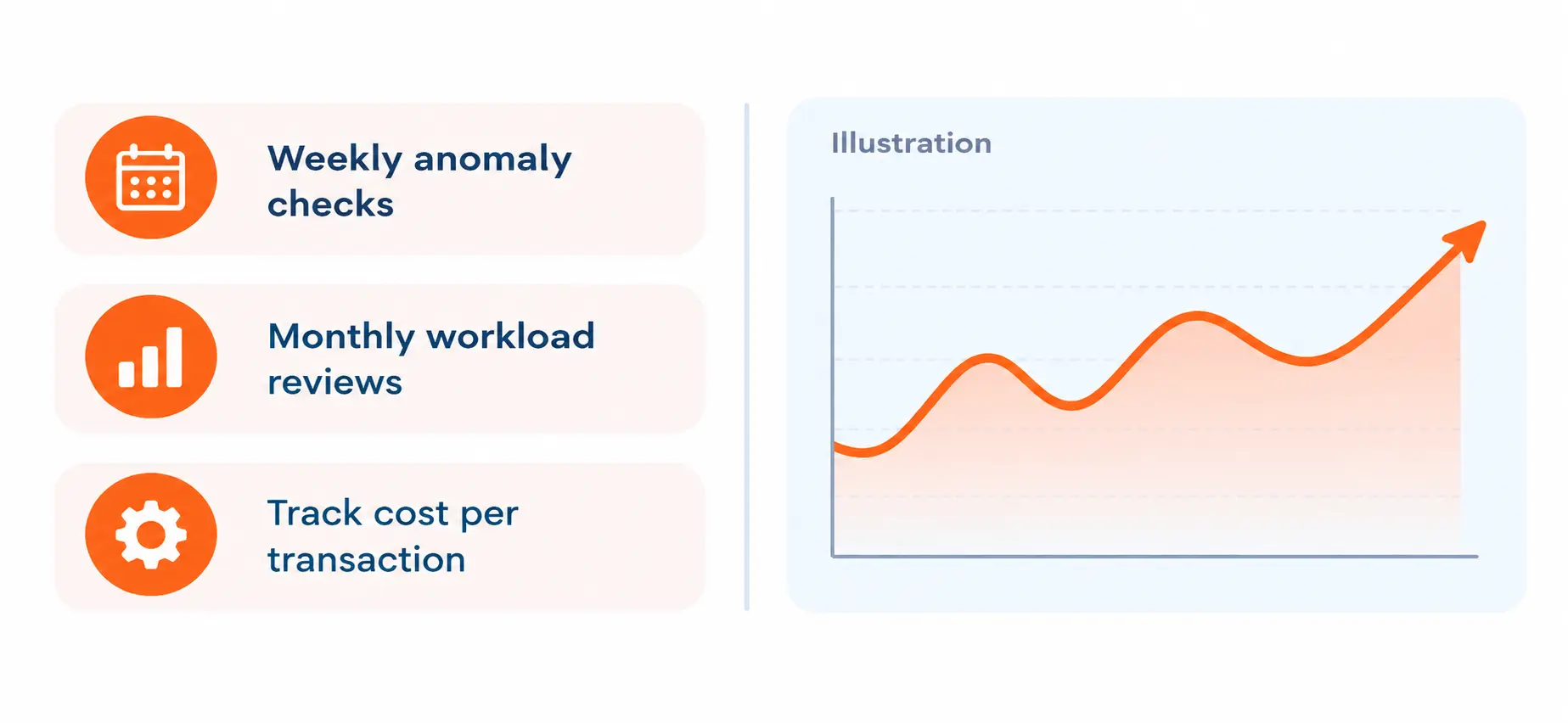
Cloud cost optimization becomes sustainable when controls are built into everyday delivery.
Require ownership when resources are created. Give temporary environments expiry dates. Review significant anomalies regularly and check commitment utilization before renewal.
Track cloud cost savings alongside service quality and business output. Useful measures include cost per transaction, active customer, or completed data-processing job.
Flexera reports that adoption of unit economics increased from 40% to 49% in its 2026 findings. This supports a more useful discussion: whether technology is delivering value efficiently.
A lower invoice is welcome. A lower cost per successful business outcome tells you more.
Cloud cost optimization starts with connecting each significant charge to an owner, a requirement, and measurable usage.
Begin with idle resources, oversized capacity, forgotten storage and avoidable transfer. Validate changes before applying them widely, then use purchasing commitments against the demand that remains.
If your audit reveals problems that need engineering support, explore our Cloud DevOps Services. Its offering includes multi-cloud management, resource optimization, and FinOps support. Share your audit findings to discuss the changes, implementation effort, and measurement your environment needs.
1. How much can an enterprise realistically save?
Answer: There is no universal percentage; savings depend on the actual waste, existing commitments, and implementation costs.
2. Can a growing cloud bill still indicate better efficiency?
Answer: Yes. Spending may go up while cost per unit customer or transaction may come down, as long as quality of service stays within acceptable limits.
3. Do budget alerts automatically stop overspending?
Answer: Unless you have explicitly configured an enforcement or automation mechanism, treat the alerts as notifications to intercept overspending.
4. Should every workload use discounted, interruptible capacity?
Answer: Use it where workloads are able to tolerate interruptions, retries, and recovery; assess critical systems discretely.
5. How often should teams review their infrastructure costs?
Answer: A practical initial cadence would be: weekly for anomalies, monthly for workload reviews, and prior to major releases or renewals of commitments.
 Pranav Lakhani
Pranav brings over 20 years of expertise in software development and design, specializing in delivering enterprise-scale products. His unique ability to manage the entire product lifecycle ensures innovation and technical excellence across every project.
We’re ISO/IEC 27001:2022 certified, ensuring your projects are executed with globally recognized security standards.

INDIA
 sales@nextgensoft.io
 +91 81284 66678


