Model Context Protocol
Niraj SalotFebruary 3, 2025
Share this article


Let AI highlight what matters.
The Model Context Protocol (MCP) is like a “USB-C port for AI applications.” It provides a universal interface for developers. With MCP, you can either expose your data using MCP servers or build AI applications (MCP clients) that connect to those servers.
This standardization simplifies integration. It allows AI models to access and use diverse data sources without writing custom integration code each time.
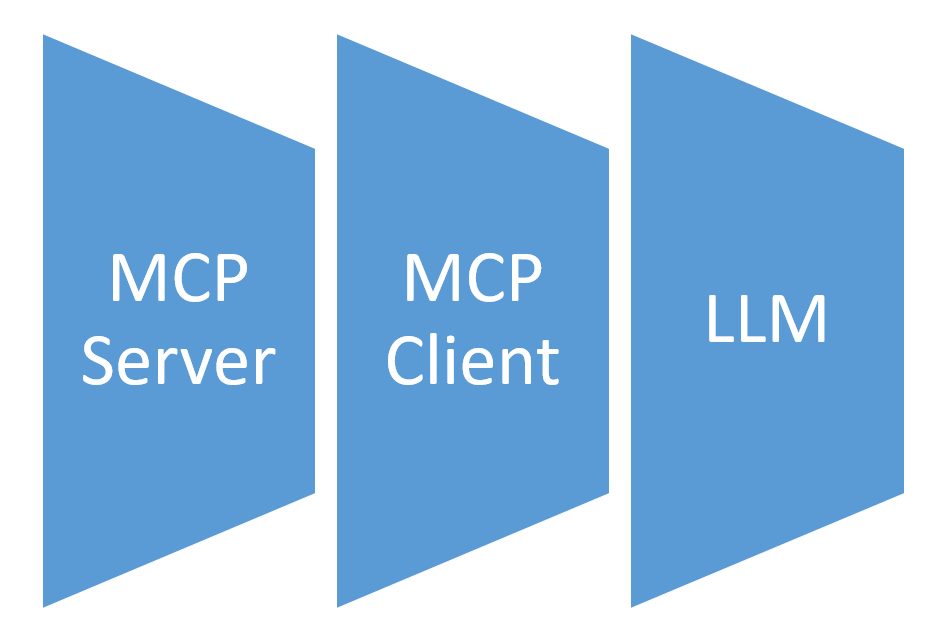
An MCP server is an application that shares data, tools, or resources with MCP clients. It acts as a bridge between external data and AI applications.
By using an MCP server, developers can make their data available to AI models in a consistent, structured way.
An MCP client is an AI application that connects to MCP servers. It retrieves context or uses tools provided by those servers.
Since it follows the MCP standard, the client can connect to many different data sources smoothly. As a result, the AI model can produce more accurate and relevant outputs.
To build an MCP server, you’ll need to create an app that can communicate with MCP clients. It must deliver data or tools that provide helpful context.
Anthropic offers several resources and tutorials. For example, one tutorial walks you through making a simple MCP weather server. It starts with the basics and gradually introduces more advanced features.
To develop an MCP client, you can use tutorials provided by Anthropic. These guides often involve building chatbot clients powered by large language models (LLMs).
It’s helpful to first understand MCP servers. This knowledge makes integration easier and more effective.
MCP servers and clients use standardized protocols to communicate. These protocols define how context is delivered to AI models.
This structure ensures AI applications can access external data efficiently. It also enhances the model’s performance and usefulness.
MCP servers can be used in many ways, especially in business and AI development. Here are some common examples:
Claude Desktop is an AI tool developed by Anthropic. It can connect directly to MCP servers.
By setting up Claude Desktop to use MCP servers, users can bring in external data. This boosts the accuracy and depth of the AI’s responses.
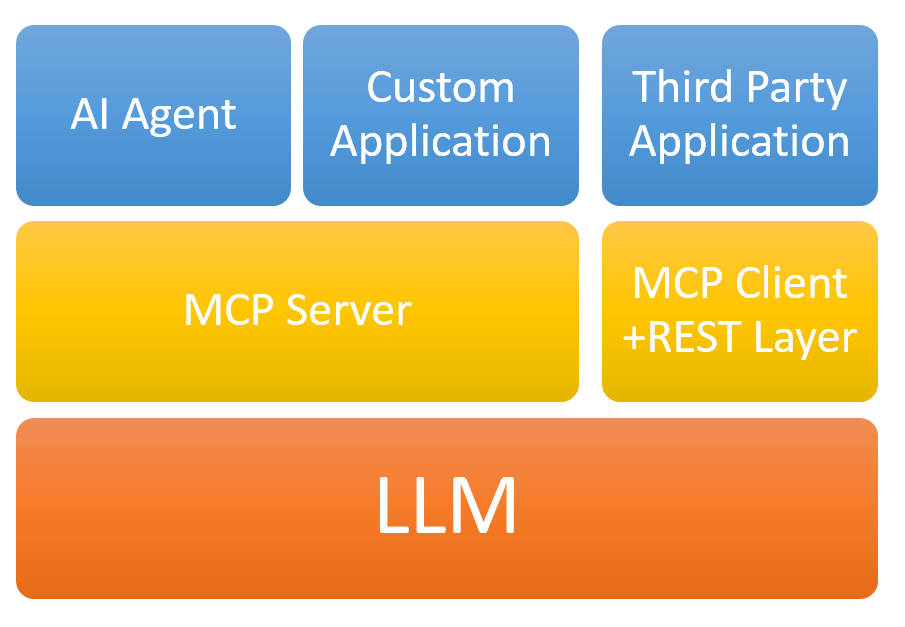
While both MCP servers and AI agents help AI models access external data, they play different roles:
The Model Context Protocol (MCP) by Anthropic is a major step forward. It makes integrating AI models with external data much simpler.
With a clear structure for MCP servers and clients, developers can build smarter AI apps faster. These apps also become more reliable and easier to maintain.
As AI continues to grow, tools like MCP will be essential. They will help connect AI systems to the vast data they need—quickly, safely, and efficiently.
 Niraj Salot
Niraj Salot, with 20+ years of expertise in software architecture, specializes in delivering robust enterprise applications. His cloud optimization skills help clients cut costs while maximizing performance. As a key leader at NextGenSoft, he drives scalable, efficient, and high-performing solutions.
We’re ISO/IEC 27001:2022 certified, ensuring your projects are executed with globally recognized security standards.

INDIA
 sales@nextgensoft.io
 +91 81284 66678

 Brijesh Shah
CEO, NextGenSoft
Brijesh Shah
CEO, NextGenSoft


